
Capture the details
Add personal or project tasks with notes, colored tags, subtasks, due dates, and reminders. Browse your work in List or Detailed view.
Plan your day. Find your focus.
Bring your tasks, projects, and daily agenda together. Start a work timer or focus session, then see exactly where your time went.
Coming soon to the App Store
iPhone · iPad · Mac · Apple Vision Pro · Apple Watch companion

Coming soon to the App Store
A little focus goes a long way.
Inside GoaTime on iPhone
Track an open-ended task or choose a focus session with a clear finish. Either way, keep the time connected to what you are doing.
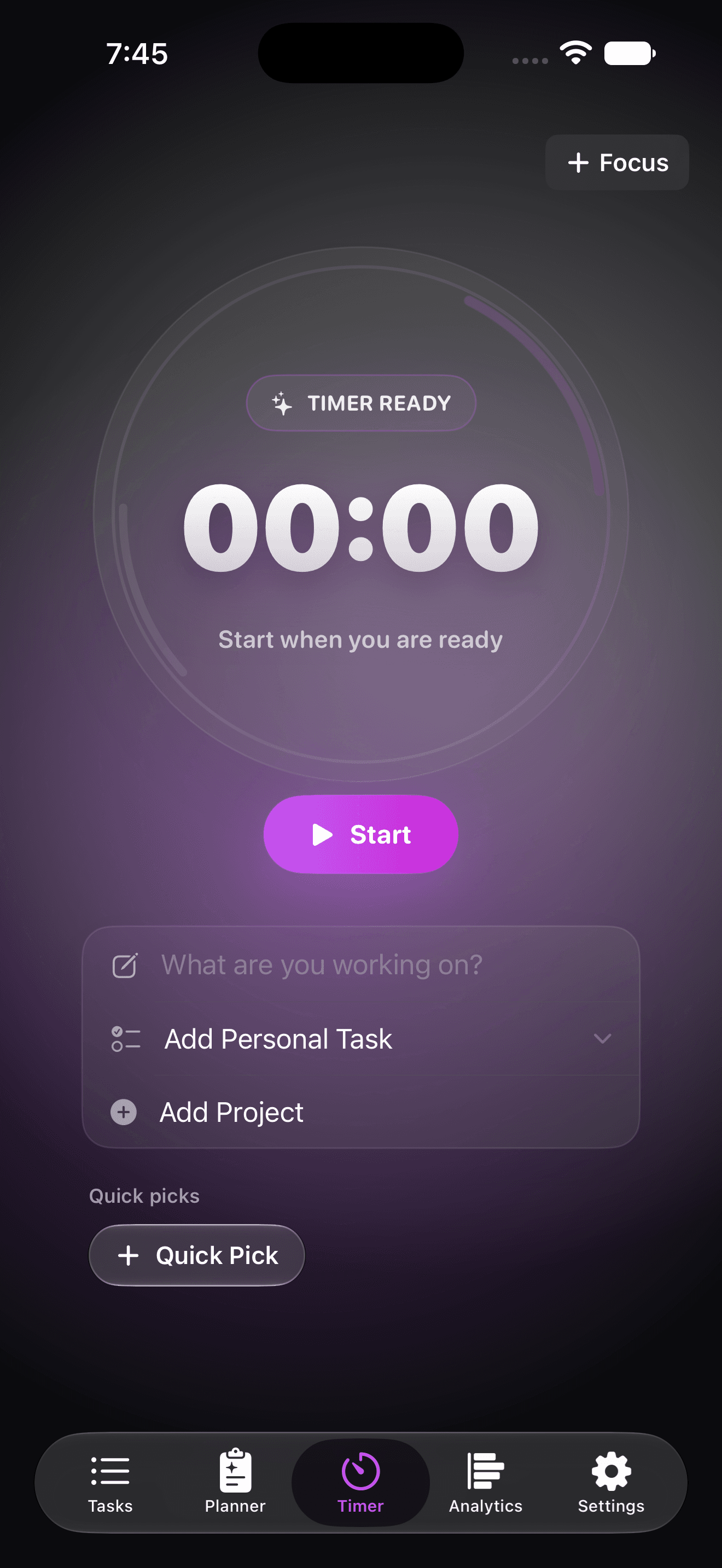
Start when you are ready. Link a personal task or project and let the timer count up while you work.
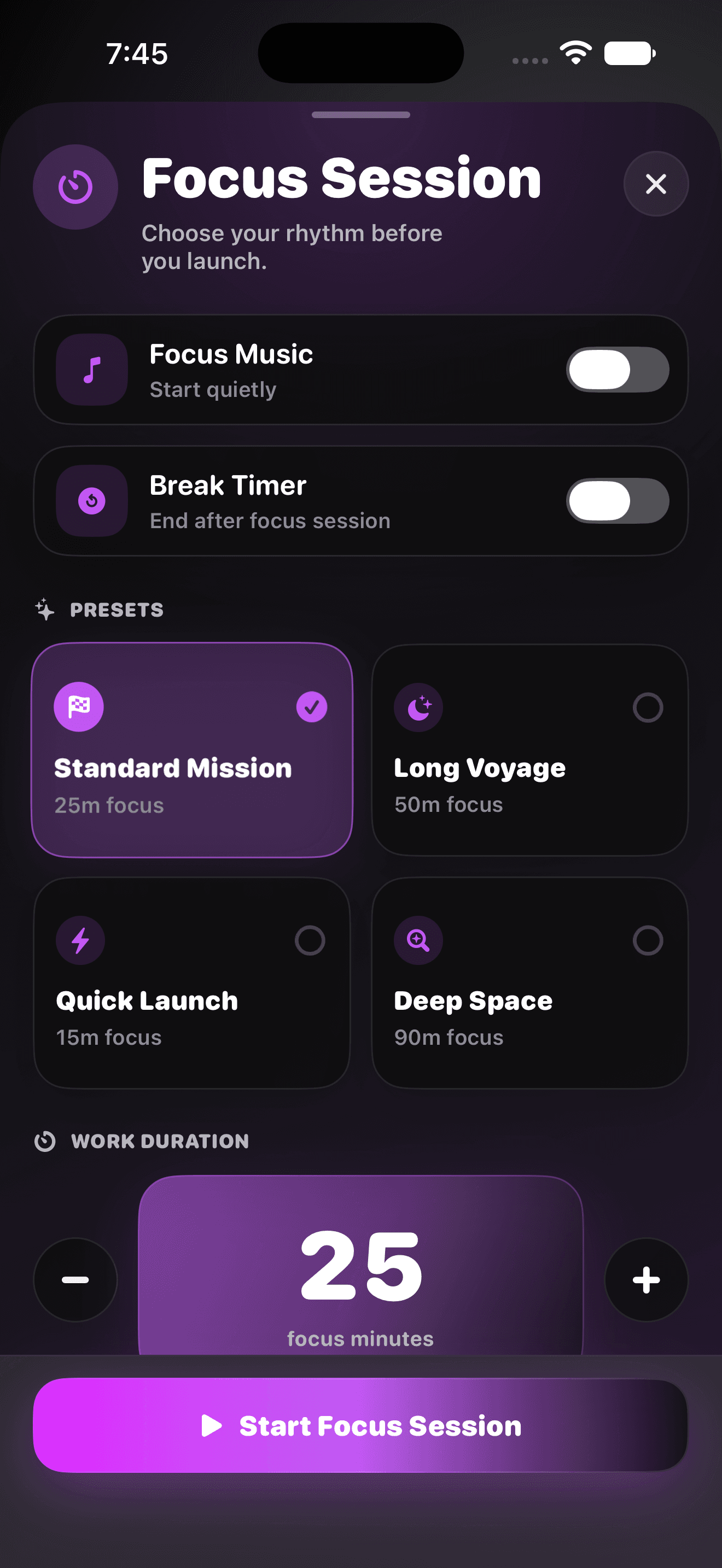
Pick a preset or set your own duration. Add an optional break or focus music, then settle into the session.
From a quick thought to finished work
Some work is a quick personal task. Some belongs to a project, with subtasks, a deadline, and a client. GoaTime keeps both connected to your day, so you can plan the work, start a session, and review the time without losing its context.
Plan
Tasks, projects, and a daily agenda.
Focus
Work timers, focus sessions, and breaks.
Review
Time history, analytics, and billing estimates.
Feature highlights
From the first task you capture to the report you share, keep your work and its time connected.
Add personal or project tasks with notes, colored tags, subtasks, due dates, and reminders. Browse your work in List or Detailed view.
Daily Agenda brings tasks and optional calendar events into all-day and timed sections. Carry overdue work into Today and keep a daily note.
Organize project tasks and subtasks, set goal hours and target dates, and keep client details alongside the work. Suggested Focus helps you choose what to tackle next.
Use a count-up work timer or a timed focus session with an optional break. Link the session to a task or project, and add Apple Music on iPhone, iPad, or Apple Vision Pro.
Review activity and time by project or personal task. Add work you forgot to time, correct a session’s start and end, or update what it belongs to.
On iPhone, iPad, and Mac, review billable sessions by client and date. Use project rates to create and share a PDF estimate with project subtotals and a grand total.
See your iPhone timer on the Lock Screen and Dynamic Island. Start and control it from a paired Apple Watch, with a widget and complications for a quick glance.
Use Siri and Shortcuts to start a work timer or focus session, check its status, pause, resume, or finish and log your time.
Sync tasks, projects, daily notes, and time history through your private iCloud database. Choose your appearance and theme, and connect calendars only when you want to.

A little company for your next session
A friendly goat, a cosmic backdrop, and a few words of encouragement bring some warmth to the workday. Choose a theme and appearance that feel right, then get back to the next thing on your list.
GoaTime is getting ready for its App Store debut. Explore what’s inside, and get in touch with questions or feedback before launch.
FAQ
GoaTime is preparing for release. A download link will be added here when it is available.
GoaTime has apps for iPhone and iPad, native Mac and Apple Vision Pro versions in development, and a paired Apple Watch timer companion. Current builds target iOS and iPadOS 26 or later, macOS 26 or later, visionOS 26 or later, and watchOS 26 or later. Platform availability will be confirmed at release.
A work timer counts up so you can track an open-ended session. A focus session counts down from a duration you choose and can be followed by a break. Either can be linked to a personal task, project, or project task.
Yes. Edit a logged session’s start, end, duration, description, or task association. Add Time lets you record work you did without running a timer. Those entries are included in your time history and analytics.
When iCloud is available, GoaTime syncs records such as tasks, projects, daily notes, and time history through your private iCloud database. Active timers stay on the device where they started; the paired Apple Watch controls its iPhone’s timer. Calendar visibility choices stay on each device.
Both are optional. Calendar access lets Agenda show events from the calendars you select. Focus music uses Apple Music on iPhone, iPad, and Apple Vision Pro after authorization; playback depends on your Apple Music access. You can use GoaTime’s tasks and timers without either connection.
On iPhone, iPad, and Mac, assign clients and hourly rates to billable projects, select a date range, and review the sessions to include in a PDF estimate. Reports use current project rates. GoaTime does not issue invoices, process payments, or track payment status.
The launch plan is a paid download with the current features included and no required subscription. Final pricing will be announced at release. Future optional feature packs or Pro upgrades may be sold separately.
No separate GoaTime account is required. Your work is stored on your device, with optional synchronization through Apple’s iCloud services. GoaTime does not include advertising or third-party tracking SDKs. Read the Privacy Policy for details about storage, Apple services, and your choices.